Validly Guide

How to Use Validly

Follow the practical flow: review status, add products, manage batches, and turn on reminders.

Recommended workflow

  1. Open the Dashboard to see what needs attention.
  2. Add products by barcode, photo, or manual entry.
  3. Open product details to add batches and expiry dates.
  4. Enable reminders so you can act before items expire.
Dashboard
Daily overview

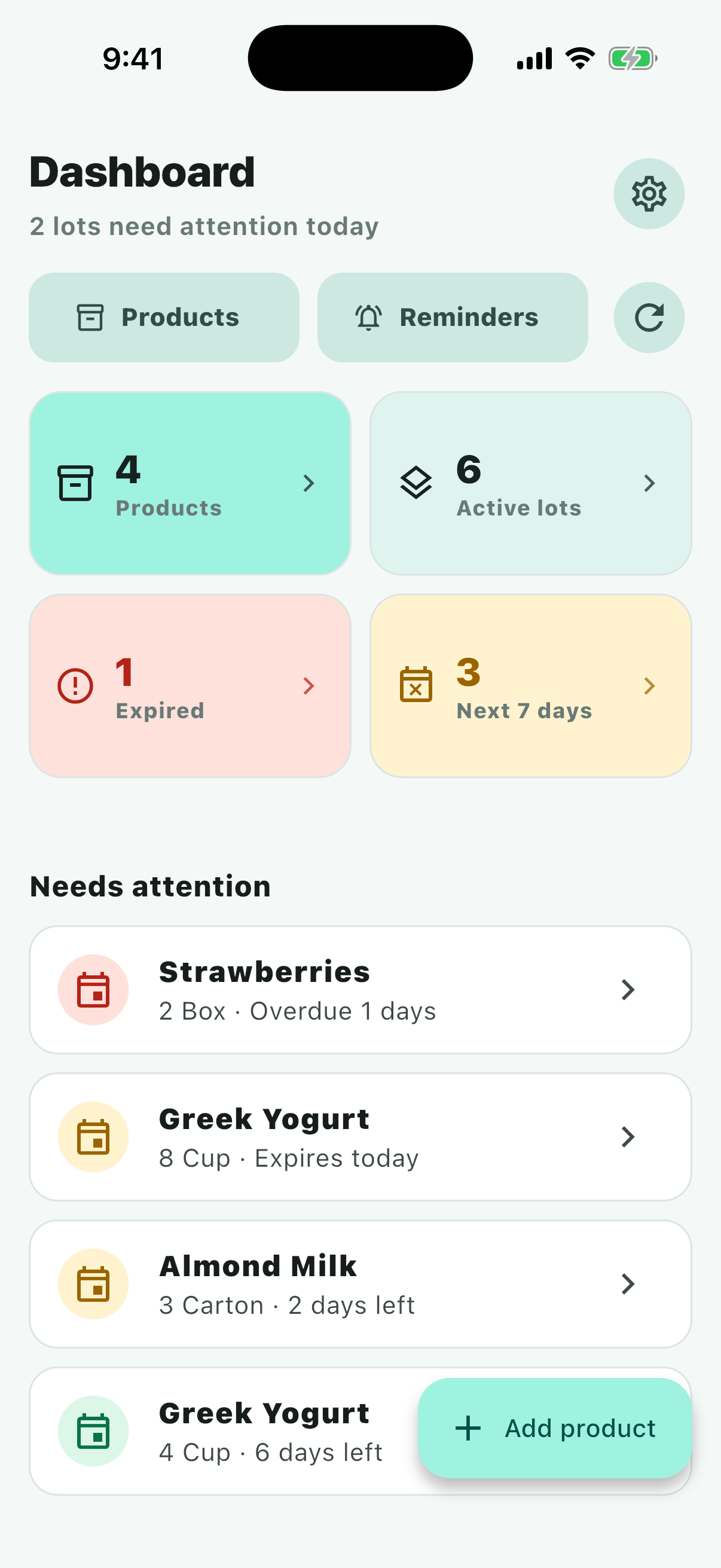
Dashboard

This is the screen to open every day when you want to know whether your inventory is stable or needs action.

  1. Review total products, active batches, expired batches, and batches expiring soon.
  2. Tap a metric card to open a filtered product list.
  3. Use the add button to scan a barcode, take a photo, or enter details manually.
  4. Scroll down to review urgent batches and recent reminder status.
Product List
Manage the full inventory

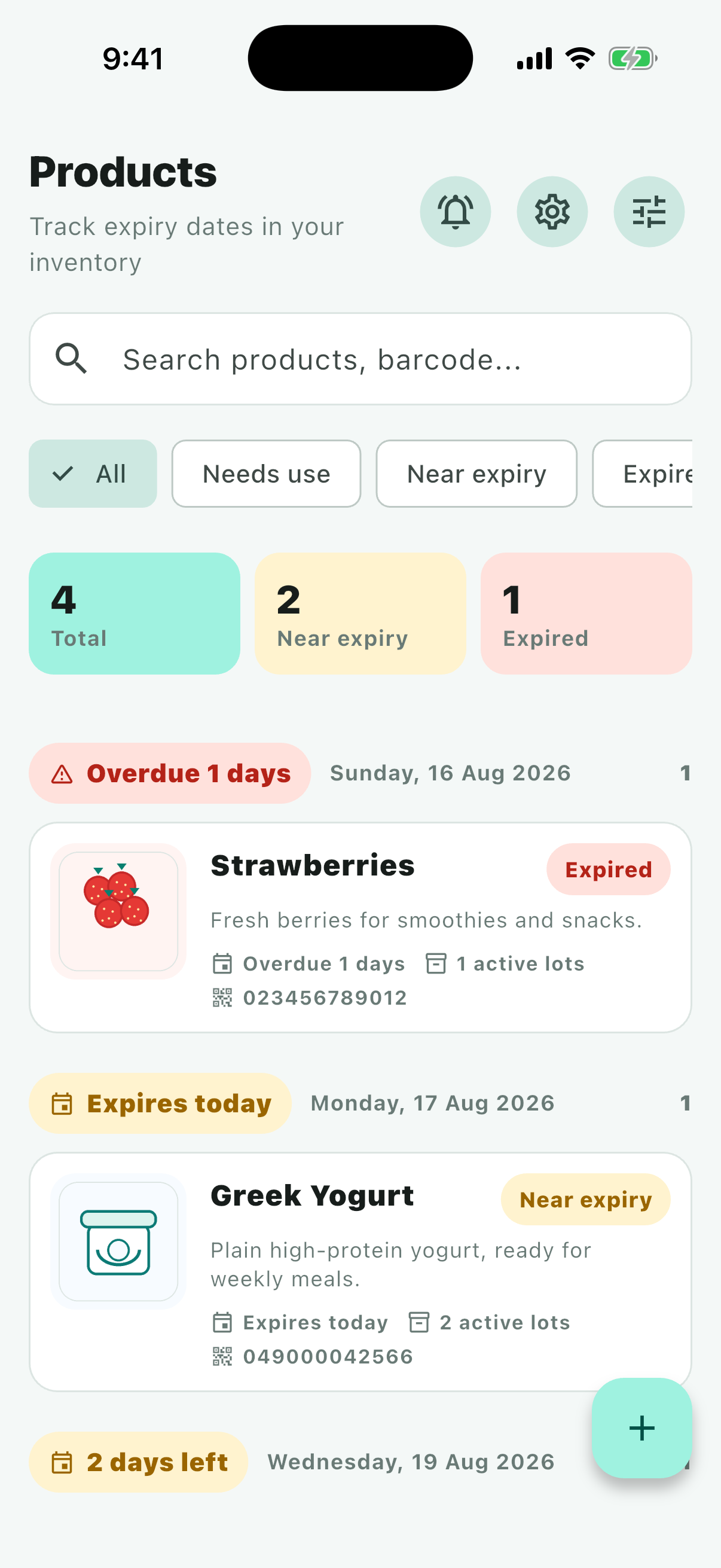
Product List

Use this screen to search, filter, and review products as your list grows.

  1. Search by product name, description, or barcode.
  2. Filter products by safe, near-expiry, or expired status.
  3. Tap a product to open details and manage its batches.
  4. Use reminder and settings shortcuts to tune the app.
Add Product
Scan quickly or enter manually

Add Product

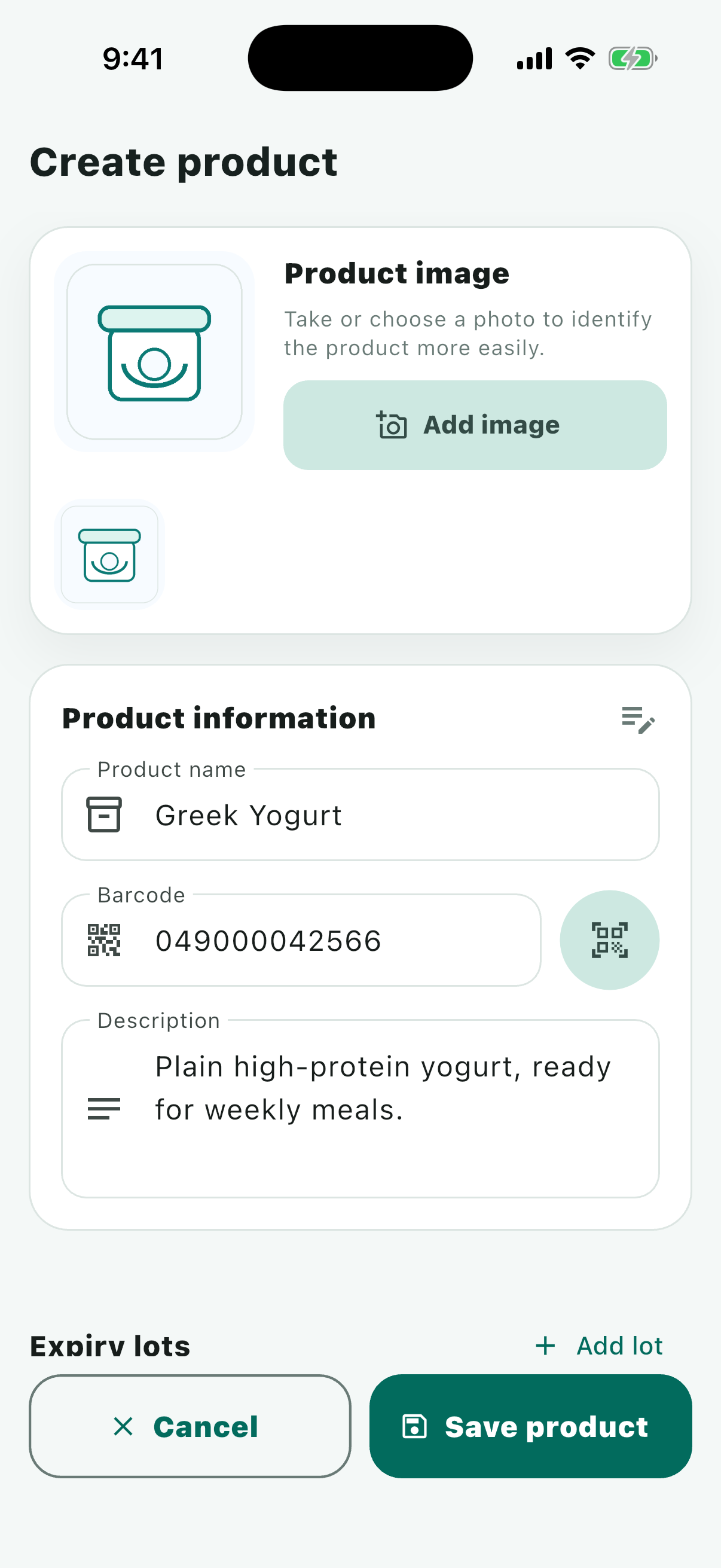
Validly reduces manual typing but still lets you review and edit every field before saving.

  1. Scan a barcode when the product has a clear barcode.
  2. Take or choose a photo to extract information from packaging.
  3. Review name, description, photo, and barcode before saving.
  4. If recognition is not perfect, edit manually and save normally.
Product Detail
Track each batch

Product Detail

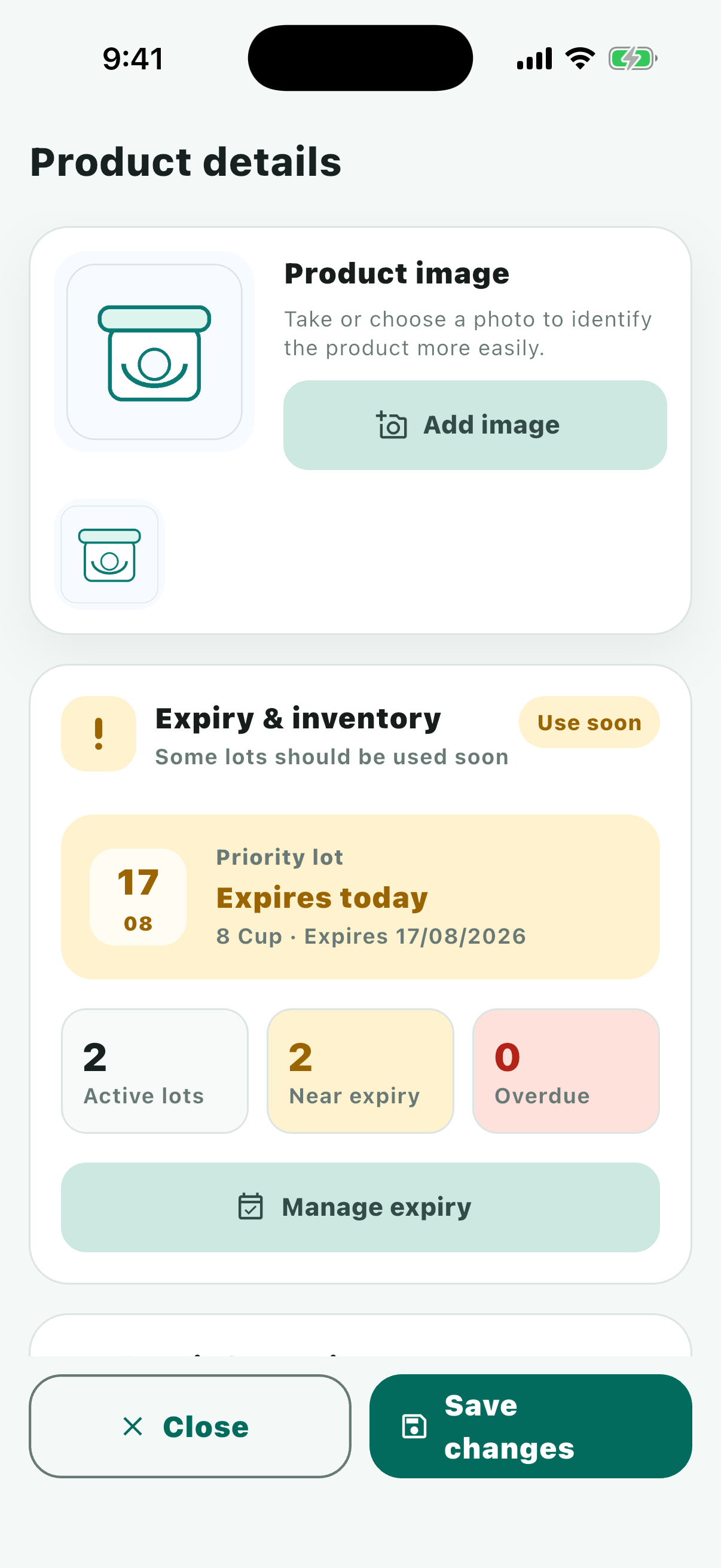
One product can have many batches. This screen is where you manage specific expiry dates.

  1. Review the product photo, name, description, and barcode.
  2. Add a new batch whenever you buy or receive more stock.
  3. Record quantity, expiry date, and notes for each batch.
  4. Update or delete a batch after it has been used, sold, or removed.
Reminders
Do not miss important expiry dates

Reminders

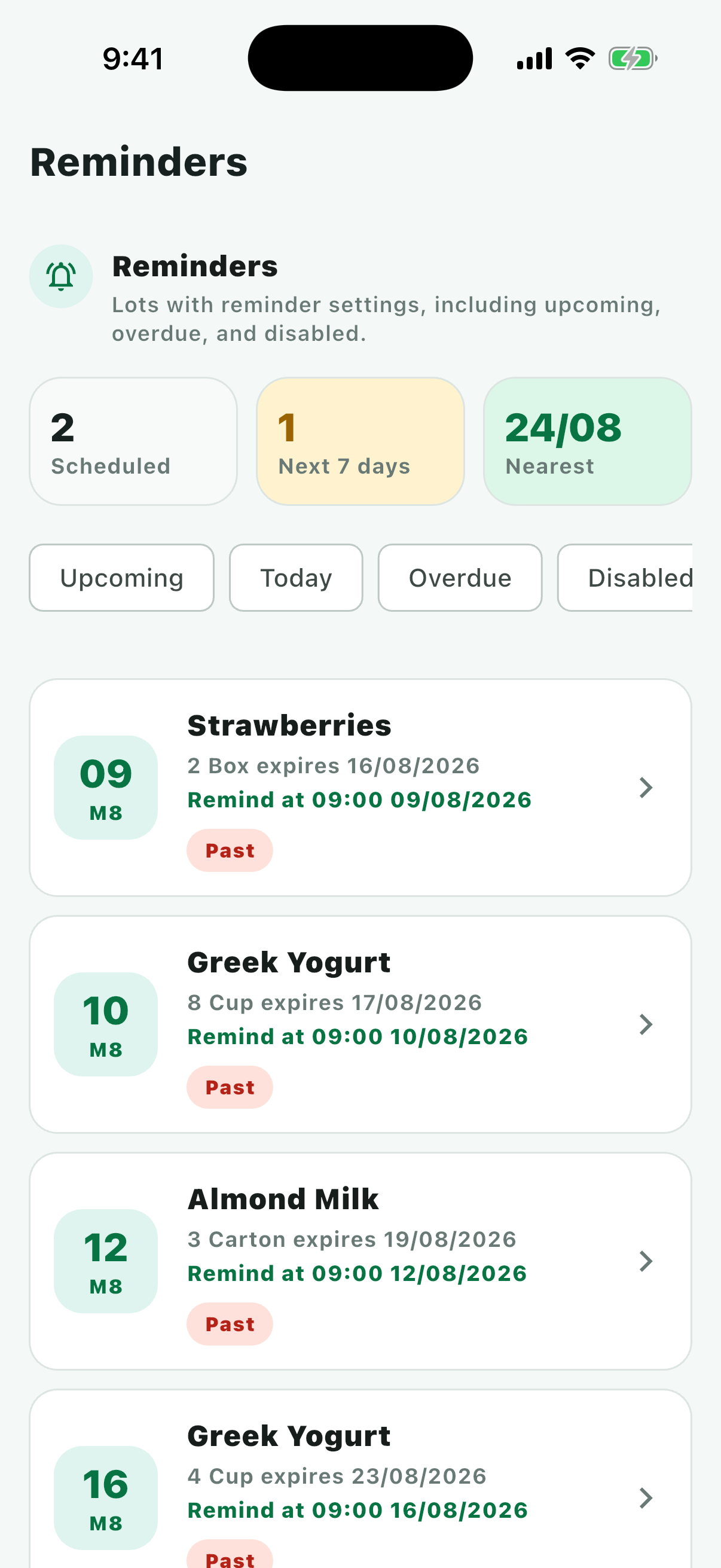
Reminders give you enough time to act before products become waste.

  1. Allow notifications so Validly can remind you on the device.
  2. Choose a default reminder hour that fits your daily routine.
  3. Review batches that are near expiry or already expired.
  4. After handling an item, return to product details and update the batch.